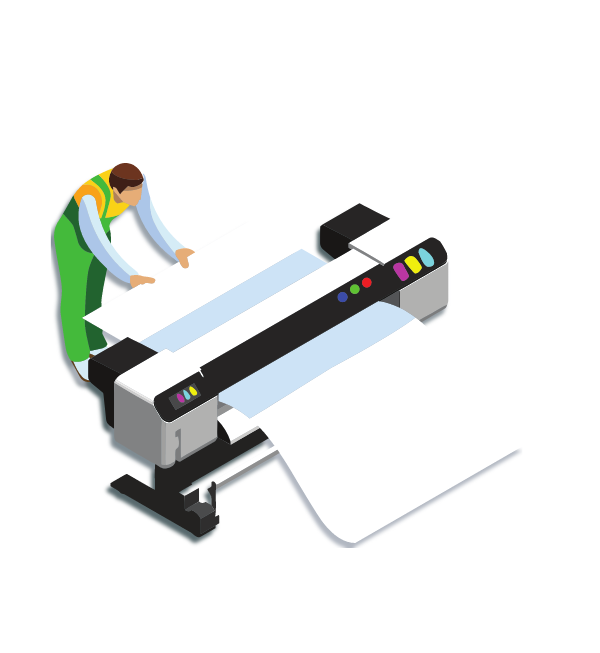
Large Format Printing
On-demand Large Format Printing with your choice of size | paper | finishing | delivery or pick-up. Orders up to 10 Large Format Prints will be ready for collection within 6 to 8 working hours from the date the order is confirmed.
How It Works
- 1. About this Service
- Please take a moment to read our printing guide and FAQs — we’ve designed them to make placing your order as easy as possible.
- 2. Upload Your Documents
- Begin by uploading the documents you need to print in PDF formats. Multiple File uploads are now possible.
- 3. Paper Size
- Choose the page size. This service is for printing on A2, A1 or A0 paper size.
- 4. Print and Paper Type
- Choose between Lines Only, Lines and Shading or Poster print type together with the paper type.
- 5. Finishing Options
- Select one of the finishing options if required. Finishing options available depend on paper size and type of paper.
- 6. Pick-Up/Delivery
- Once your order is ready, you can choose to pick it up from one of our locations or have it delivered to your doorstep.
- Job Completion
- Orders up to 10 Large Format Prints will be ready for collection within 6 to 8 working hours from the date the order is confirmed.
Need to Know
Before you order please refer to the Guide, FAQs and Pricing
Frequently asked questions
Together with these FAQs, we recommend reading our Guide to Large Format Printing.
- What is large format printing?
Large format printing is any print larger than A3 (297 × 420mm). The most common sizes are A2, A1, and A0. Typical uses include architectural plans, presentation charts, posters, and signage.
At CopyQuick, large format printing is done on paper material. If you need large format prints on other materials (including outdoor materials), contact our sister brand Optima at [email protected].
- Besides A2, A1 and A0, can I order custom sizes?
Yes. We can print custom sizes as long as your artwork fits within our widest roll, which is 841mm.
There is no strict restriction on length, but we don’t recommend printing more than 5 metres as one continuous piece.
To create a custom size print, set your PDF page size to A2, A1, or A0, then place your custom artwork inside that page. You will also need to choose Actual Size in Scaling Mode.
Example: If you need 500mm × 700mm, set your page size to A1 (594 × 841mm) and position the artwork within it.
The extra white area can then be trimmed off.
- Do you offer trimming services for large format printing?
Trimming is available by request in-store only. Large format trimming often needs manual handling and depends on the artwork and required finish.
Trimming is charged per print
We may need to assess the job before confirming the final price
- If I need a large volume of large format prints, what is the average timeframe and do normal rates apply?
We can produce large volumes in a relatively short time. As a guide, we can print up to 1,000 large format prints within one week, depending on current workload.
If you need more than 50 prints, contact us at [email protected]. Based on print type, paper type, and required timeframe, we’ll offer our best rate.
- What file format should I upload?
We only accept PDF files. This avoids layout changes that can happen when Word/Excel/PowerPoint files are opened on different computers.
- I prepared my file in Word / Excel / Publisher / PowerPoint. How do I save it as a PDF?
Most programs allow you to:
Export or Save As → PDF, or
use Print → Print to PDF.
Once saved, open the PDF to make sure everything looks correct before uploading.
- My file contains unique fonts. How can I make sure they print correctly?
Make sure your PDF has fonts embedded. If fonts are not embedded, another computer may replace them and your layout can change.
How to check (Adobe Reader):
Press Ctrl + D;
Go to the Fonts tab;
Check that fonts show as Embedded (or Embedded Subset)
- Will you check my document for spelling and grammar before printing?
No. We print what you submit as final. For confidentiality, we don’t read or proofread your content, so please check spelling, grammar, and page order before uploading.
- How can I get the best colour print?
Colours can look different on paper than on a screen because screens use RGB and printers use CMYK. For best results:
Prepare artwork in CMYK;
Use high-resolution images;
Avoid relying on how colours look on a phone screen.
- How can I order borderless (full-bleed) printing?
Borderless printing is available on request, and usually involves trimming.
To prepare your file: Keep important text and images at least 5mm away from the edge;
Trimming prices depend on the job. Contact us at [email protected]
for a quote.
- Can I print large format back-to-back (duplex)?
No. Large format prints are single-sided only.
- Will there be a white border on my large format print?
Yes. A small border is normal because printers cannot always print fully to the edge of the paper. If you need edge-to-edge printing, you’ll need borderless printing + trimming (available on request/in-store).
- What scaling will you use when printing my file?
Scaling is one of the options available. Our recommendation:
If your PDF page size matches the paper size (e.g., A1 PDF for A1 print), choose Actual Size (100%);
If it doesn’t match, choose Fit to Paper Size (Auto Scale) so the content fits the selected paper size.
For “to scale” drawings and custom size drawings: make sure your PDF page size matches the print size and select Actual Size.
- I need the print “to scale” for measurements. How do I prepare my file?
Set the PDF page size to the exact print size (A2, A1, or A0):
Use Actual Size (100%);
Avoid Auto Scale if exact measurements are required;
If you’re unsure, contact us before ordering.
- Which paper should I choose for my large format print?
A simple guide:
80–90gsm uncoated: best for technical drawings (lines only / light shading);
180–190gsm uncoated: stronger paper, best for posters and frequent handling;
180–190gsm gloss (A2/A1): best for colourful posters and images, but glare may reduce text/detail readability.
- Do you recommend large format printing for professional photography?
We offer high-quality prints, but this service is not intended for professional photo reproduction where maximum detail and specialist photo papers are required. If you need premium photo-quality results, contact us for options.
- Is large format suitable for outdoor signage?
Paper prints are not recommended for outdoor use. For outdoor signage and printing on outdoor materials, contact Optima at [email protected].
- Can you laminate large format prints?
Lamination availability depends on paper type and size. If lamination is offered for your selection, it will appear as a finishing option during ordering.
Note: lamination can improve durability, but it does not make paper prints suitable for long-term outdoor use.